

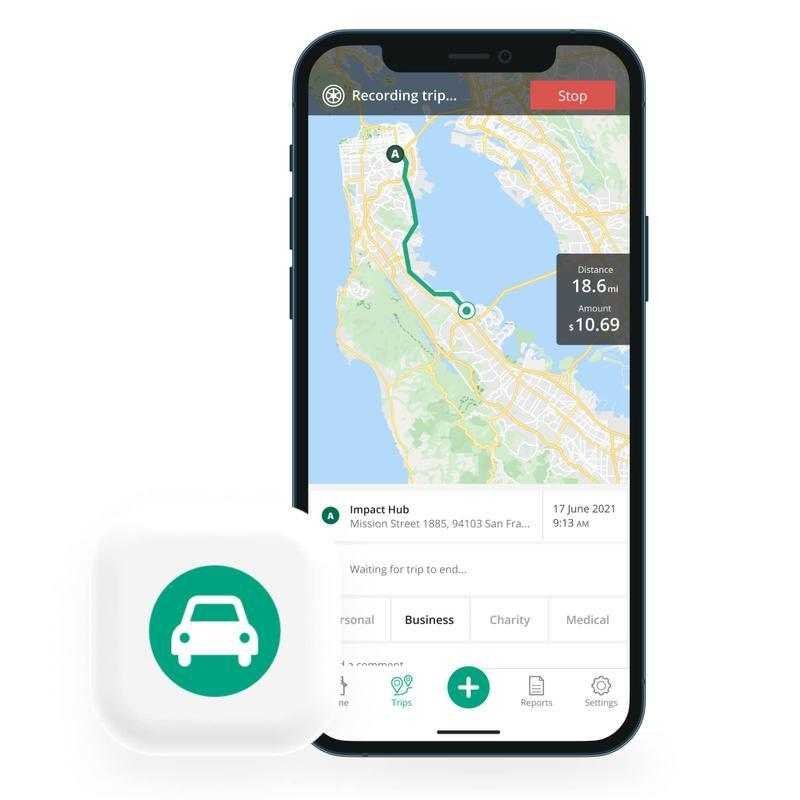
Keeping accurate records of business journeys can be challenging when you rely on memory, paper logs or manually updated spreadsheets. For professionals who regularly drive for work, recording every journey can become a repetitive administrative task.
An App for Mileage Tracking can simplify this process by using GPS technology and automatic trip logging to capture journey information. Instead of manually recording every kilometre or mile, drivers can use digital tools to record routes, distances and trip details while they travel.
Understanding how GPS mileage tracking works, what automatic trip logging can and cannot do, and how to review recorded journeys can help users maintain more organised business mileage records.
What Is an App for Mileage Tracking?
An App for Mileage Tracking is a mobile application designed to help individuals and businesses record vehicle journeys. Depending on its features, the app may allow users to enter trips manually, automatically detect journeys using GPS or combine both methods.
Mileage tracking apps can record information such as:
- Date and time of a journey
- Starting and ending locations
- Distance travelled
- Route information
- Business or personal classification
- Notes about the journey
- Mileage totals
The exact features vary between applications, so users should consider what information they need before choosing a tracking solution.
How GPS Mileage Tracking Works
GPS, or Global Positioning System technology, uses signals from satellites to help determine a device’s location. A mileage tracking application can use location information to identify where a journey starts, where it ends and the route taken between those points.
When GPS tracking is enabled, the application may be able to calculate the distance travelled without requiring the driver to enter the mileage manually.
For frequent business drivers, this can significantly reduce the amount of information that needs to be recorded by hand.
However, GPS tracking is not always perfect. Signal limitations, device settings and unusual routes can sometimes affect the information captured. This is why reviewing automatically recorded journeys remains an important part of maintaining accurate records.
What Is Automatic Trip Logging?
Automatic trip logging refers to technology that detects and records journeys without requiring the user to manually start a mileage entry every time they drive.
Depending on the application, automatic trip detection may use a combination of GPS, movement data and device activity to determine when a journey has started and ended.
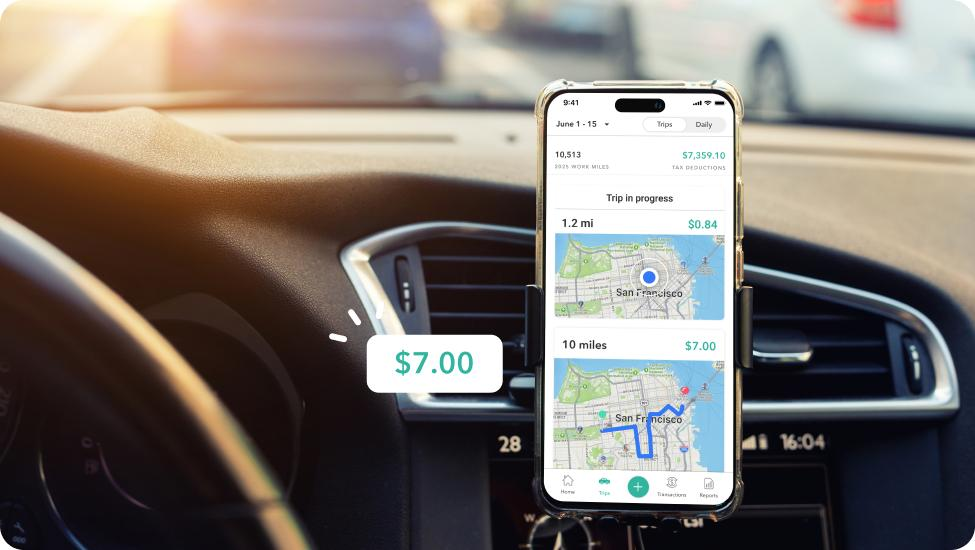
For example, a driver might leave an office to visit a client. The application can potentially detect the movement, record the route and calculate the distance. The driver can then review the trip and classify it as business travel.
This approach can be particularly useful for people who make several work-related journeys throughout the day.
Benefits of Automatic Mileage Tracking
One of the biggest benefits of automatic trip logging is convenience. Manually recording every journey can take time, especially when driving is a regular part of someone’s job.
An App for Mileage Tracking can reduce some of this administrative work by automatically collecting basic journey information.
Other potential benefits include:
Reduced Manual Data Entry
Users do not necessarily have to write down every distance immediately after a journey. Automated tracking can capture much of the basic information in the background.
Better Consistency
Because trips can be recorded as they occur, there may be less reliance on memory. This can help reduce forgotten journeys and incomplete mileage records.
Easier Trip Classification
Many mileage tracking tools allow users to label journeys as business or personal. This can make it easier to organise records when the same vehicle is used for different purposes.
Convenient Reporting
Some applications can summarise mileage over specific periods. Depending on the features available, users may be able to generate reports for bookkeeping, expense management or other administrative purposes.
GPS Tracking Does Not Replace Review
Automatic tracking can save time, but users should not assume that every recorded journey is automatically correct.
For example, an application might record a trip that includes a personal stop. It could also fail to capture part of a journey or calculate a route differently from the route actually taken.
Regular reviews can help identify these issues.
A simple review process can include:
- Checking the date and time.
- Confirming the starting and ending locations.
- Reviewing the recorded distance.
- Classifying the trip correctly.
- Adding a business purpose where appropriate.
- Correcting or removing inaccurate entries.
This process helps combine automation with human oversight.
Separating Business and Personal Journeys
One important consideration for mileage tracking is distinguishing business travel from personal driving.
People who use one vehicle for both purposes should carefully review their trip classifications. An automatically recorded journey does not necessarily qualify as business mileage simply because it appears in the mileage log.
For example, a driver may combine a business appointment with a personal errand. The record should be reviewed according to the rules applicable to the individual’s circumstances.
Using separate categories for business and personal trips can make records easier to understand and manage.
Recording the Purpose of Business Trips
Distance alone may not provide enough context for a complete mileage record. Depending on the applicable recordkeeping requirements, it may be useful to record why a particular business journey occurred.
A user could add a short note such as:
- Client meeting
- Supplier visit
- Business conference
- Worksite inspection
- Delivery
- Training session
- Equipment collection
A short description can make it easier to identify the reason for a trip later, particularly when reviewing records several months after the journey.
Managing Battery and Privacy Considerations
GPS-based mileage tracking can require additional device resources, including location services and battery power. Users should understand how an application operates in the background and how frequently it collects location information.
Privacy is another consideration. Location data can reveal detailed information about travel patterns, so users should review an application’s privacy policy and permissions before enabling automatic tracking.
It is sensible to understand:
- What location information is collected
- Why it is collected
- How long information is retained
- Whether data can be exported or deleted
- Which device permissions are required
Understanding these points can help users make informed decisions about their mileage tracking setup.
Using Mileage Tracking for Business Records
Mileage information can form part of broader business recordkeeping. Self-employed professionals, employees who travel for work and businesses managing vehicle expenses may all have different requirements.
Tax rules concerning business mileage vary between jurisdictions, so users should not assume that every recorded journey can be claimed as a tax deduction.
Instead, mileage records should be maintained according to the requirements applicable to the individual or business. Where necessary, an accountant or qualified tax professional can provide guidance on specific tax obligations.
Tips for Getting Better Results From Automatic Trip Logging
To get the most from an App for Mileage Tracking, users should develop a consistent review routine.
Useful habits include:
- Keep location permissions configured correctly.
- Check that automatic tracking is enabled when appropriate.
- Review trips regularly.
- Correct inaccurate routes or distances.
- Classify business and personal journeys promptly.
- Add notes describing business purposes.
- Export or back up important records.
- Check the application’s data and privacy settings.
These simple practices can make automated mileage records more reliable and easier to manage.
Final Thoughts
An App for Mileage Tracking can make business mileage recordkeeping more convenient by combining GPS technology with automatic trip logging. Instead of relying entirely on memory or manually recording every journey, users can allow technology to capture basic travel information and then review it for accuracy.
GPS and automatic tracking can reduce repetitive administrative work, but they should not be treated as completely error-free. Regularly checking routes, distances, classifications and business purposes remains important.
By combining automatic trip logging with consistent reviews and appropriate recordkeeping practices, drivers and businesses can create more organised mileage records while spending less time on manual data entry.
